Most clients ask about touchscreens, music, lighting, shades, theaters and cameras. Those are the visible parts of the system. The part that makes everything feel reliable is usually less visible: the network, rack, wiring and service plan.
As homes add more connected devices, the network is no longer just for laptops and phones. It supports streaming, cameras, access control, lighting processors, shade systems, control processors, remote work, guests and service access.
CEDIA's 2026 education program has put more emphasis on practical AI, lighting and shading, cybersecurity, networking and design-build coordination. That is not abstract industry talk. It reflects what happens in real homes when the technology stack gets deeper.
What good infrastructure solves
- Stronger Wi-Fi coverage where people actually use the home.
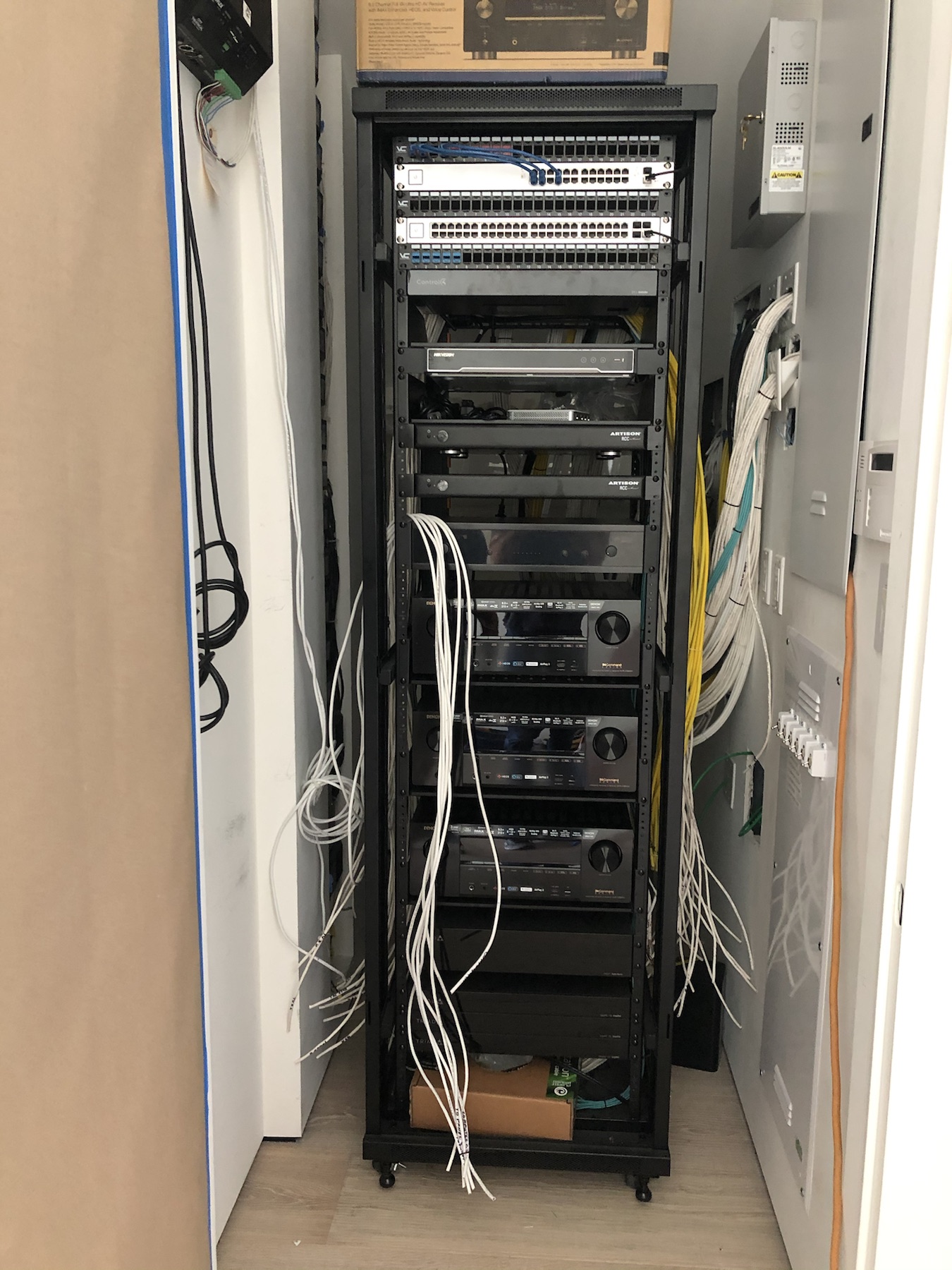
- Cleaner equipment racks with labeled wiring and service access.
- Better separation between guest, owner and device traffic.
- More predictable performance for streaming, video calls and automation.
- Easier troubleshooting years after installation.
- Better support for future upgrades without tearing apart finished rooms.
- Fewer mystery devices, unlabeled cables and undocumented passwords.
The practical takeaway
Smart home reliability starts before the first keypad is engraved or the first remote is programmed. A strong network and clean infrastructure plan make the visible features feel simple.
For remodels, that may mean auditing the existing equipment, cleaning up the rack, replacing weak access points and documenting the system. For new construction, it means planning the wiring and network around how the home will actually be used.
Why the rack matters
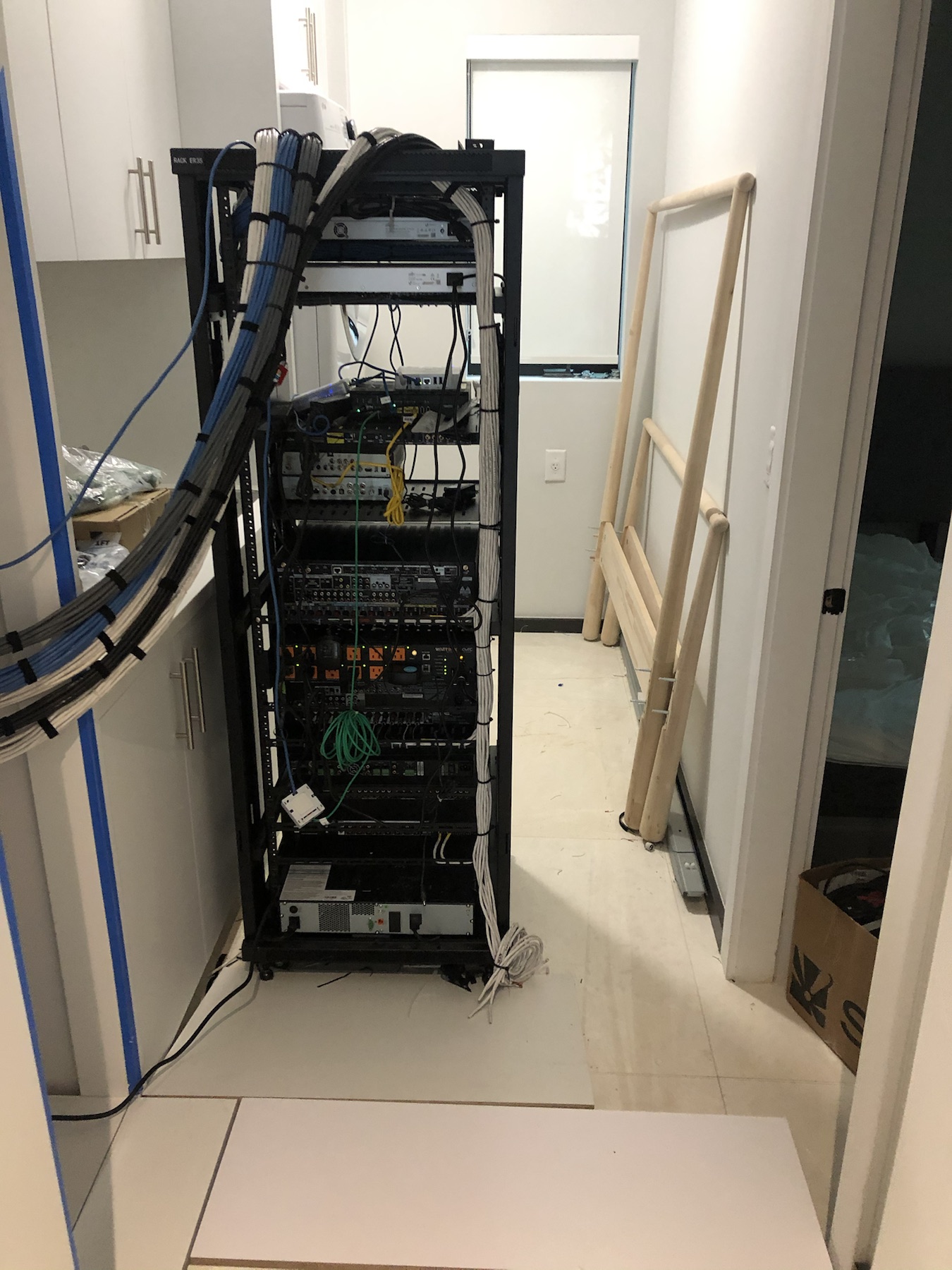
The rack is the part of the system most clients rarely see, but it is where reliability either gets protected or compromised. A clean rack makes service faster, keeps heat under control, reduces accidental disconnections and gives future technicians a fighting chance.
Good rack work includes labeled cables, proper ventilation, surge protection, UPS planning where appropriate, network organization and room for future equipment. It also means avoiding the common trap of stuffing critical gear into cabinets, closets or ceiling spaces where airflow and access are poor.
Cybersecurity does not need to be dramatic
For most residential projects, cybersecurity starts with basic discipline:
- Do not leave default passwords in place.
- Keep owner, guest and device networks logically separated.
- Use proper remote-access methods instead of exposing equipment casually to the internet.
- Keep firmware and controller software maintained.
- Document critical logins and system details for the owner.
The goal is not paranoia. It is reducing avoidable risk while keeping the system usable.
A better conversation to have early
Instead of asking only "what devices do we want?", ask:
- Where will the internet service enter the home?
- Where will the rack live?
- How many access points are needed for real coverage?
- Which systems need hardwired connections?
- Who needs remote access for support?
- How should guest Wi-Fi and cameras be handled?
Those answers shape the reliability of everything else.